Skip to content

Managing figures

Simple addition of a figure

1
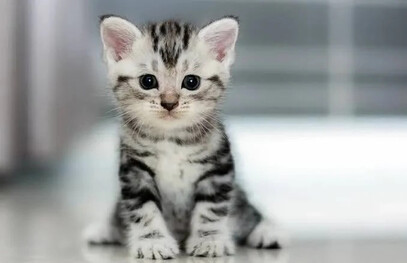
![Small image of a kitten](../img/markdown/kitten-1-small.jpg)

Small image of a kitten

Note

Here again, we can see that it is a relative path to the image. So it depends on the structure of your project.

Using glightbox plugin

If you want to add image zoom functionality to your documentation, the glightbox plugin is an excellent choice, as it integrates perfectly with Material for MkDocs.

See: https://squidfunk.github.io/mkdocs-material/reference/images/?h=image#lightbox

Customize figure with CSS

You need a CSS file (for example in docs/assets/extra.css)

 1
 2
 3
 4
 5
 6
 7
 8
 9
10
11
12
13
14
15
16
17
18
19
20
21
22
23
24
25
26
27
28
29
img[src*="#border"] {
    height: auto;
    width: auto;
    border: 1.5px solid #9f9f9f;
    transition: transform ease-in-out 0.3s;
}
img[src*="#shadow"] {
    box-shadow: 0 4px 8px 0 rgba(0, 0, 0, 0.2), 0 6px 20px 0 rgba(0, 0, 0, 0.19);
}
img:active[src*="#zoom"] {
    cursor: zoom-out;
    transform: scale(2.0);
}
img[src*="#zoom"] {
    cursor: zoom-in;
}
img[src*="#center"] {
    display: block;
    margin-left: auto;
    margin-right: auto;
}
img[src*="#no-border"] {
    border: 0px;
    width: 200px;
}

a.md-logo img {
    border: none;
}

And this configuration in the mkdocs.yml file :

1
2
extra_css:
  - 'assets/extra.css'

Then, you can apply these options on an image with the previously defined css option:

1
![Small centered image of a kitten](../img/markdown/kitten-1-small.jpg#center#shadow)

Small centered image of a kitten

You can see that the image is centered and has shadow.

Adding a figure with HTML

Useful to add image caption

markdown_extensions: - attr_list - md_in_html - pymdownx.blocks.caption

1
2
3
4
<figure markdown>
  ![Small centered image of a kitten](../img/markdown/kitten-1-small.jpg#center#shadow)
  <figcaption>Fig 1 : My lovely kitten </figcaption>
</figure>

Small centered image of a kitten

Fig 1 : My lovely kitten

Sources